Google Keyword Planner is a free tool inside Google Ads that helps you discover new keyword ideas, estimate search volume, and understand seasonal demand.
Originally built for advertisers, it’s now a go-to resource for SEOs who want to validate topics and build data-backed content strategies.
It won’t tell you how hard it is to rank, but it will help you figure out what people are actually searching for and when.
Why Use Keyword Planner If You’re Not Running Ads?
Even though it’s part of Google Ads, Keyword Planner is incredibly useful for SEO. It gives you real search data straight from Google showing what people are searching for and when.
You can spot demand trends, validate content ideas, and plan site structure based on actual interest, not gut feeling.
Whether you’re building blog posts or optimizing service pages, this tool helps you focus on what matters to your audience.
Who This Is For
If you fall into any of these buckets, this tool is probably worth your time:
- Beginners learning how to research keywords
- Content creators validating blog ideas
- Small business owners trying to rank locally
- Agencies onboarding new team members
- SEOs who need clean demand signals before building topic clusters
If you’ve ever asked, “Is anyone actually searching for this?” this tool helps answer that.
Who This Is Not For
You won’t get much out of Keyword Planner if:
- You’re looking for organic ranking difficulty
- You need to see backlink data
- You want to understand who currently ranks
- You expect a one-click SEO solution
It’s not a full-stack SEO tool, it’s a demand discovery tool.
What Is Google Keyword Planner?
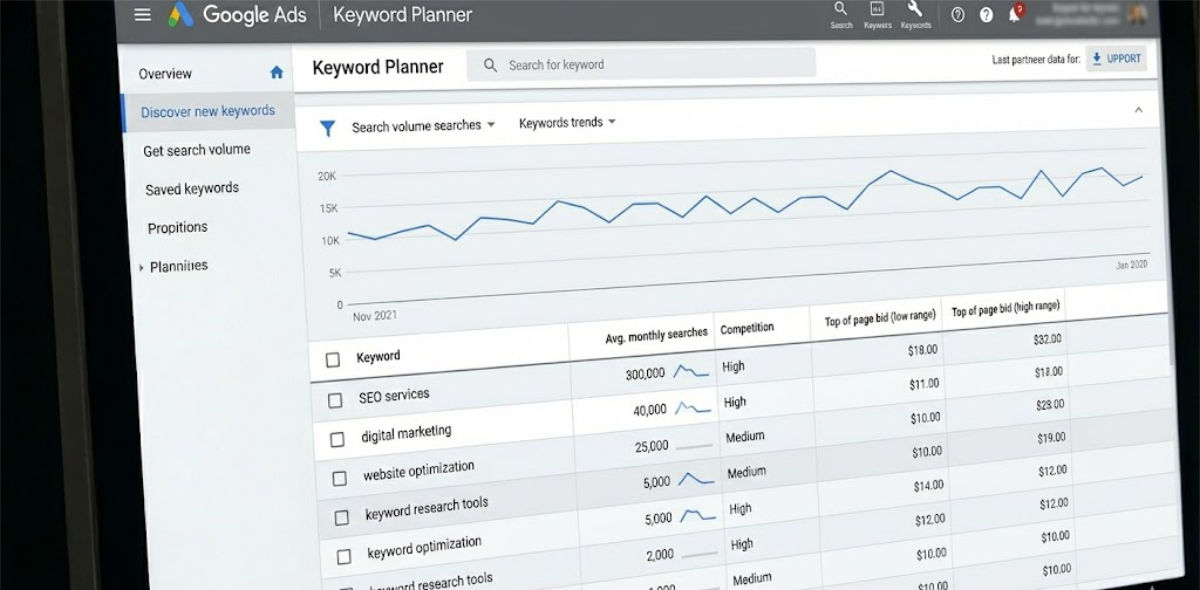
Google Keyword Planner lives inside your Google Ads account. It was designed to help advertisers find relevant search terms and forecast ad performance. For each keyword, it shows:
- Average monthly search volume
- Top of page bid estimates (low and high range)
- Competition level (for paid ads)
- Seasonality and trend data
Even though it’s ad-focused, these metrics are gold for content strategy—especially if you know what to look for.
How to Use Google Keyword Planner (Step-by-Step)
1. Create or Log Into Google Ads
Go to ads.google.com. You’ll need to create a Google Ads account, but you don’t have to run a campaign or spend money.
Once you’re in, go to Tools and Settings > Keyword Planner.
2. Choose Your Tool
You’ll see two main options:
-
Discover new keywords – For topic discovery and brainstorming
-
Get search volume and forecasts – For bulk validation and demand estimation
Let’s walk through both.
Discover New Keywords
Start with a seed keyword like “wheelchair vans,” “SEO services,” or “small business taxes.” You can also drop in a URL if you want Google to analyze a competitor page.
You’ll get a list of suggested keywords, each showing:
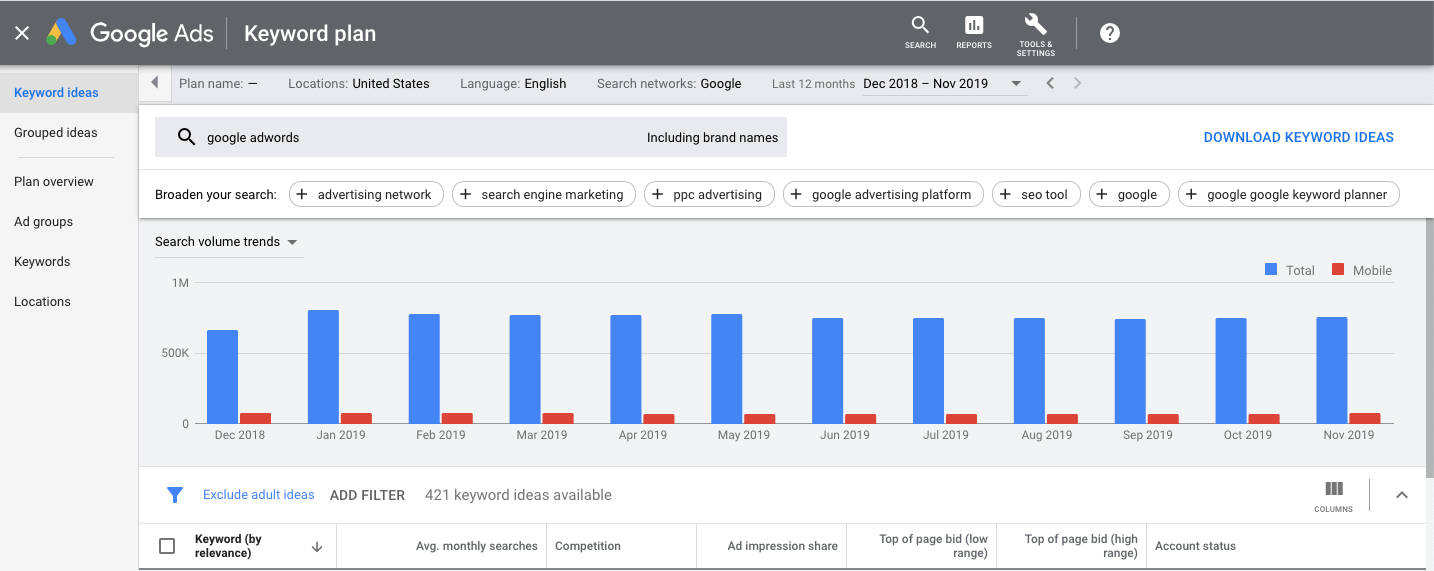
- Monthly search volume (in ranges, like 1K–10K)
- Paid ad competition (low, medium, high)
- Bid ranges (what advertisers pay per click)
- Seasonal patterns
You can sort, filter, and refine based on language, location, or even brand terms.
Get Search Volume and Forecasts
Already have a list of keywords? Paste them in here to see:
-
Estimated impressions
-
Forecasted clicks
-
CPC estimates
-
Seasonal interest shifts
Even if you’re not running paid ads, this data is a good way to stack and prioritize your keyword list.
Understanding the Metrics
Here’s what each number really tells you:
-
Avg. Monthly Searches: A range that indicates demand. New accounts typically see broader ranges.
-
Competition: This shows ad density—not how hard it is to rank in organic search.
-
Top of Page Bids: A good proxy for commercial intent. Higher bids = likely higher buyer intent.
-
Seasonality: See how search volume changes by month to plan timely content.
Real-World Example
Let’s say you want to write a page targeting “Medicare plans in Florida.”
You start with that as a seed keyword. Keyword Planner might show:
-
medicare advantage plans florida – 10K–100K, high competition
-
best medicare plans in florida – 1K–10K, medium competition
-
florida medicare part b – 100–1K, low competition
Now you know where to focus your blog post or landing page.
You can also spot supporting topics for internal linking: plan comparison, enrollment dates, eligibility.
Filtering Keyword Ideas Without Overthinking It
Google Keyword Planner will surface a lot of keyword ideas. Most of them are not worth using.
Start by removing anything that does not match your goal. If you are working on service pages, filter out job searches, definitions, or loosely related terms that would attract the wrong audience.
Next, separate informational keywords from commercial ones. Keyword Planner does not label intent, but CPC and advertiser competition offer clues. Higher CPC usually signals buying intent. Lower CPC often points to research-focused searches. Both can be useful, but they belong on different pages.
Resist the urge to keep everything. A short, focused list of keywords tied to the same topic will outperform a massive export every time. Smaller lists make it easier to see patterns and make clear content decisions.
Finally, assign each keyword a purpose. Some fit blog posts. Others belong on service or landing pages. If a keyword does not have a clear home, it probably should not make the cut.
Filtering is not about perfection. It is about removing noise so the data becomes usable.
Using Location Data the Right Way
Google Keyword Planner defaults to broad, often national search data. That’s useful for general research, but it can mislead you if you’re working on local or regional SEO.
A keyword with strong national volume may show much lower numbers when you narrow the location. That does not mean the keyword lacks demand. It means the search intent is tied to a specific area.
Use location targeting when researching service pages, location pages, or region-specific offers. Keep national settings for blog posts and broader educational content.
Lower volume at the local level is expected. In local SEO, relevance matters more than raw search volume.
The key takeaway is simple. Always match your location settings to the type of page you plan to create.
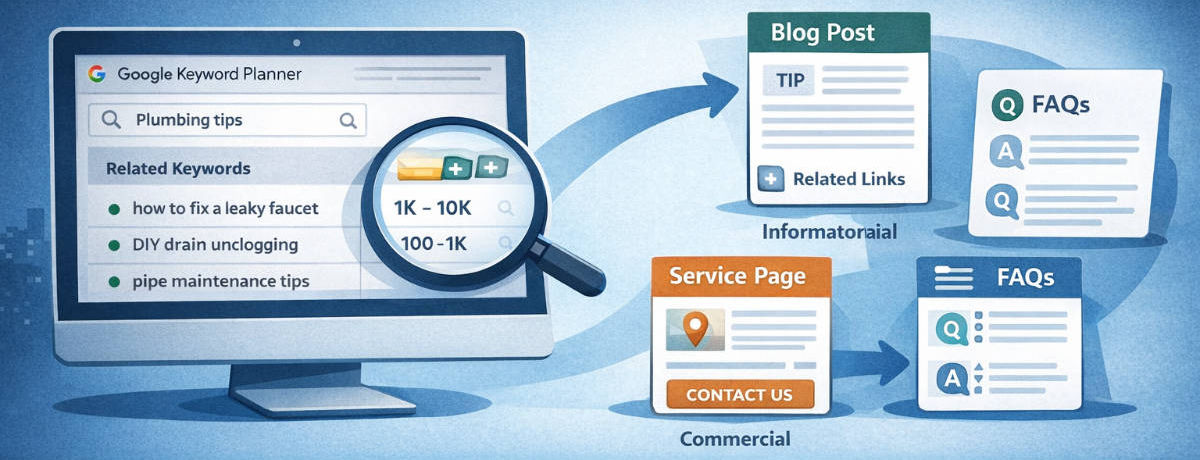
Turning Keyword Data Into Content Ideas
Keyword research only matters if it changes what you publish. Google Keyword Planner works best when you stop treating keywords as individual targets and start using them to shape pages.
When multiple keywords share the same intent, they usually belong on one page, not several. One focused page supported by related terms is more effective than splitting content across thin pages.
Informational keywords work well for blog posts, guides, and FAQs. Commercial keywords belong on service pages or landing pages where the goal is action. Let intent decide the format.
Supporting keywords help define headings, sections, and internal links. You don’t need to force every term into the copy. Use them to guide structure and coverage instead.
If your keyword list naturally outlines a page before you write it, the data is doing its job. If it feels forced, the list likely needs more filtering.
Common Keyword Planner Mistakes
Google Keyword Planner is easy to misuse if you expect it to answer questions it was never designed to solve. Most mistakes come from overinterpreting the data.
A common error is treating ad competition as organic difficulty. That column only shows advertiser activity, not how hard it is to rank in search results.
Using it as an SEO difficulty score leads to poor targeting decisions.
Another mistake is chasing volume without intent. High search numbers look attractive, but they often bring unfocused traffic. Lower-volume keywords with clear intent usually perform better.
Seasonality is also overlooked. Keyword Planner shows demand shifts throughout the year, yet many people only look at averages. Timing content poorly can make good keywords seem ineffective.
Finally, exporting everything and acting on nothing is a frequent trap. Keyword research should narrow your focus. If a keyword does not clearly support a page or goal, it does not belong in the final list.
Limitations of Google Keyword Planner
Google Keyword Planner has clear limitations, and understanding them prevents bad assumptions.
The tool does not show organic ranking difficulty, current search results, or how strong competing pages are. That context has to come from manual SERP review or other SEO tools.
Search volume is also shown in ranges for most accounts, not exact numbers. While this is usually enough for content planning, it should not be treated as precise.
Keyword Planner works best as a demand validation tool. It is not designed to answer competitive or ranking questions, and using it outside that role leads to poor decisions.
Final Takeaways
Google Keyword Planner is not an all-in-one SEO tool, and it does not need to be. Its value comes from one thing: showing you what people are actually searching for and when.
Used correctly, it helps you validate ideas, prioritize topics, and avoid building content around assumptions. It works especially well when you focus on intent, filter aggressively, and match keywords to the right page types.
The biggest mistake is expecting Keyword Planner to answer ranking or competition questions. That is not its role. When you treat it as a demand discovery tool and pair it with basic SERP review, it becomes far more useful.
If you’re trying to decide what to publish next, which topics deserve attention, or whether there’s real interest behind an idea, Google Keyword Planner still earns its place in your workflow.
Used with restraint, it helps you make smarter keyword decisions without overcomplicating the process.
FAQs About Keyword Planner
What is Google Keyword Planner used for?
Google Keyword Planner is used to discover keyword ideas, estimate search demand, and understand seasonal interest. While it was built for advertisers, SEOs commonly use it to validate content ideas and identify topics people are actively searching for.
Is Google Keyword Planner free to use?
Yes, Google Keyword Planner is free to use. You need a Google Ads account to access it, but you do not have to run ads or spend money to use the tool for keyword research.
Can Google Keyword Planner help with SEO?
Google Keyword Planner can support SEO by showing demand signals like search volume, trends, and commercial intent. It does not show ranking difficulty or SERP competition, so it works best as a topic validation tool rather than a complete SEO solution.
Why does Google Keyword Planner show search volume ranges?
Most accounts see search volume ranges instead of exact numbers. This data is still useful for comparing relative demand between keywords and prioritizing topics, even if it is not precise.
What does the competition metric in Keyword Planner mean?
The competition metric reflects how many advertisers are bidding on a keyword in Google Ads. It does not indicate how difficult it is to rank organically in search results.
Should I use Google Keyword Planner for local SEO?
Yes, Google Keyword Planner can be useful for local SEO when location settings are adjusted correctly. Lower local search volume does not mean low value, especially when intent is clear.
What should I use alongside Google Keyword Planner?
Google Keyword Planner works best when paired with manual SERP review and tools like Google Search Console or Google Trends. These add context around rankings, competition, and performance after content is published.