
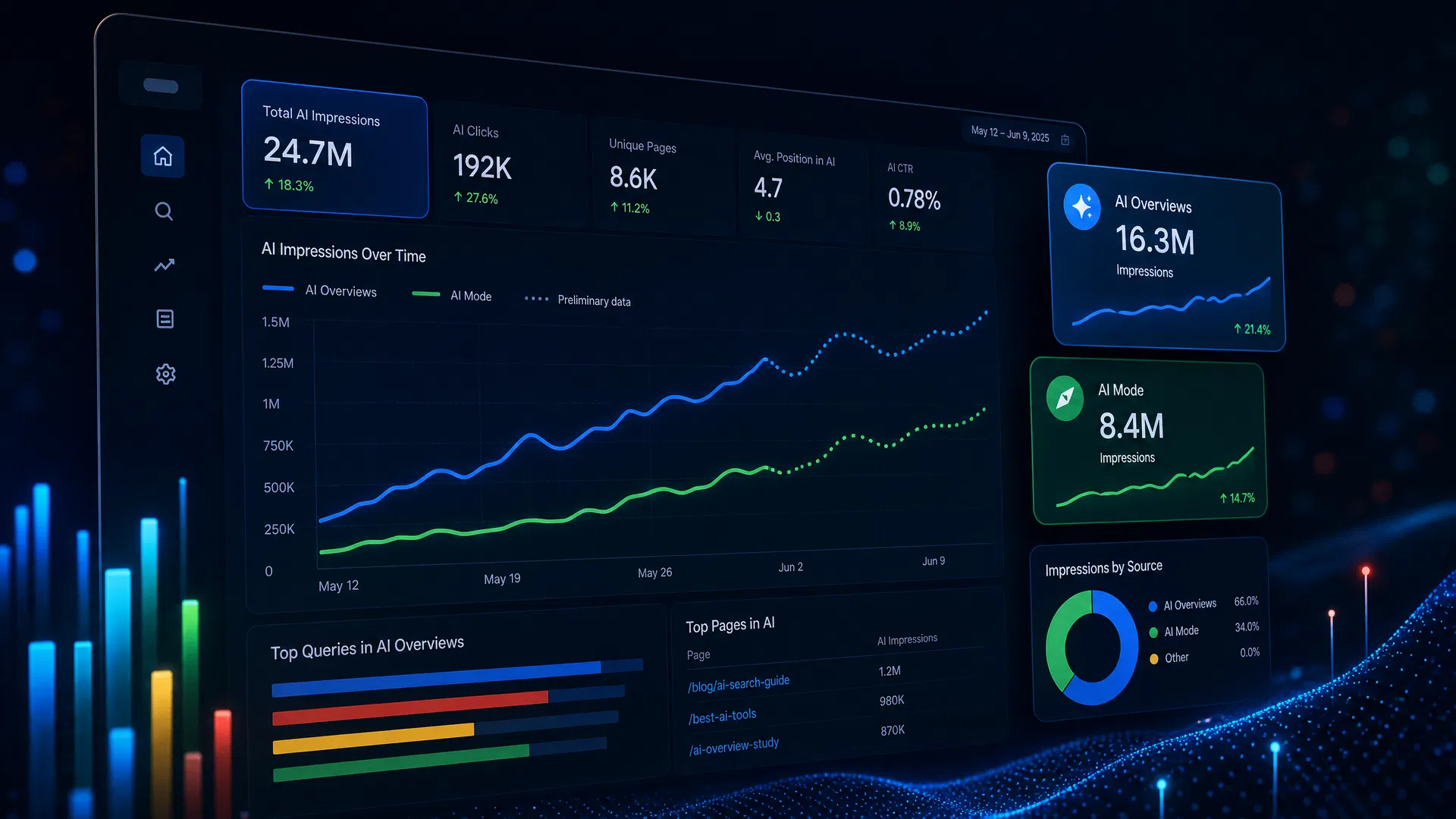
Key Takeaways
- Google launched the Generative AI Performance Report on June 3, 2026. It is still rolling out incrementally.
- The report lives at Search Console > Performance > Generative AI and covers AI Overviews and AI Mode.
- It shows impressions only. Click data, CTR, and average position are not yet included.
- Four dimensions are available: Pages, Countries, Devices, and Dates.
- Dotted lines in the chart indicate preliminary data that may still change.
- To appear in the report, allow Google-Extended in robots.txt and target informational queries with clear structure.
For years, SEOs have been flying blind when it comes to AI search. You could see that AI Overviews were appearing for your target queries. You could watch your organic click-through rates decline. But you had no native tool inside Google Search Console to measure how often your content was actually being cited in those AI results. That changed on June 3, 2026, when Google launched the Generative AI Performance Report.
The report gives site owners their first direct window into AI search visibility. It is not complete yet, and it does not answer every question you might have. But it is the most important new measurement tool Google has released for SEO since the Core Web Vitals report, and understanding how to read it is now a foundational skill for anyone managing search performance. This guide walks through exactly what the report shows, how to find it, how to interpret the data, and what to do with the insights you find.
If you are already familiar with how AI Overviews are reshaping organic traffic, you know why this data matters. If you are newer to the topic, our breakdown of AI Overviews and the zero-click reality is a good place to start before diving into the measurement side.
June 3, 2026
Report launch date
Impressions only
No clicks or CTR yet
4 dimensions
Pages, Countries, Devices, Dates
Where to Find the Report
The report is located inside Google Search Console under Performance > Generative AI. If you do not see a Generative AI tab in your Performance section, your property has not yet been included in the rollout. Google is releasing access incrementally and reviewing feedback as it goes. John Mueller from Google confirmed on Bluesky that the rollout is intentionally gradual: "We are just rolling these out incrementally to sites, and reviewing the feedback along the way."
There are three reasons a property might not show the report. First, the rollout simply has not reached it yet. Second, the site has not generated enough AI impressions to produce meaningful data. Third, the site has been configured to opt out of generative AI features in Search Console settings. You can check and adjust the AI feature settings directly inside Search Console to confirm your site is eligible to appear.
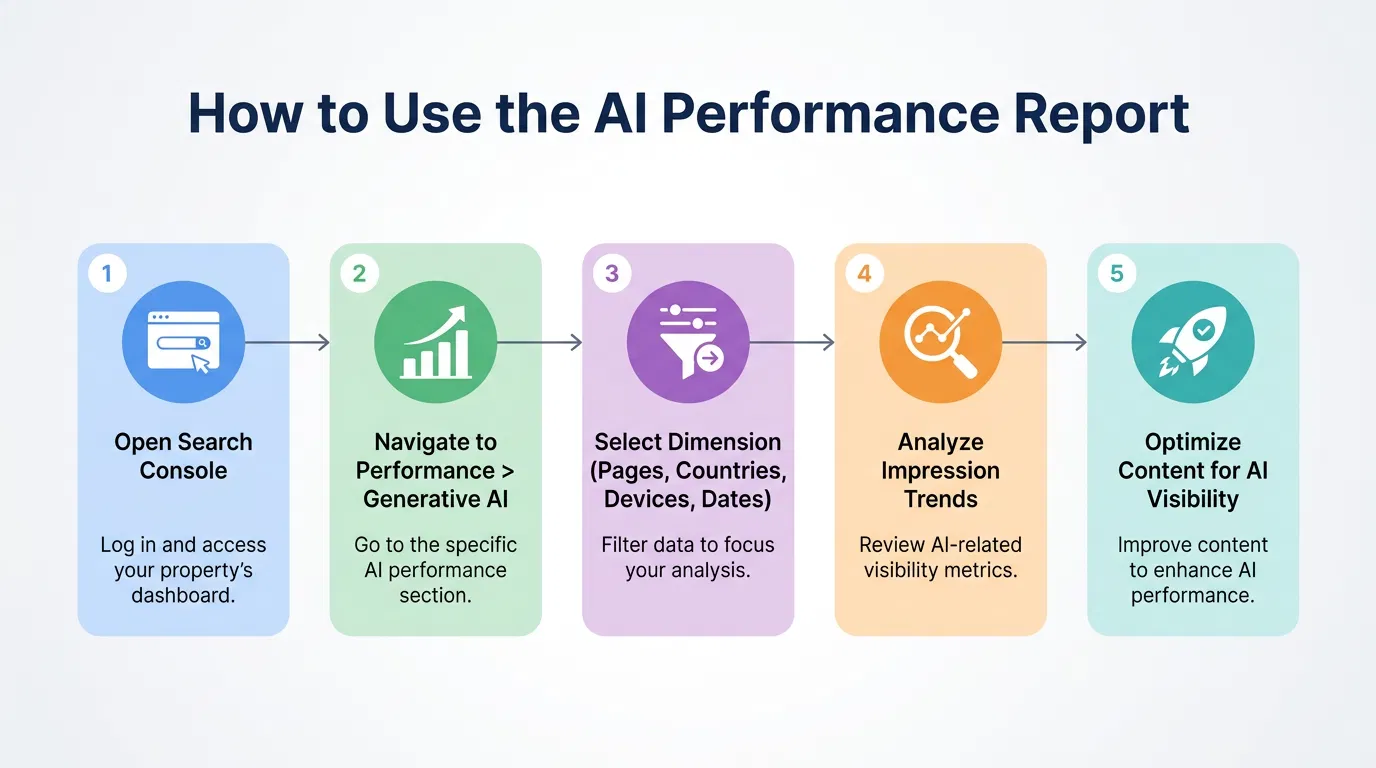
The 5-step workflow for accessing and using the AI Performance Report in Search Console
What the Report Measures
The Generative AI Performance Report tracks one metric: impressions. An impression is recorded each time a link to your site appears within a generative AI result during a search session. This is a fundamentally different measurement from organic impressions in the standard Search performance report. A page can generate AI impressions without appearing in the top organic results, and a page that ranks number one organically may generate zero AI impressions if Google does not draw from it for AI-generated answers.
The report currently covers two features. AI Overviews are the AI-generated summaries that appear above organic results for eligible queries. AI Mode is Google's fully AI-driven search experience, now available globally. Google has confirmed that the list of covered features will expand as new generative AI experiences are developed in Search. A separate report covers AI impressions from Google Discover.
AI Overviews vs. AI Mode: Key Differences
| Feature | AI Overviews | AI Mode |
|---|---|---|
| Appearance | Above organic results for eligible queries | Replaces the traditional results page entirely |
| User experience | Summary with source links below organic results | Fully AI-driven conversational search interface |
| Availability | Most markets, expanding | Global rollout completed 2026 |
| Query types | Informational and how-to queries | Broad range including complex, multi-step queries |
| Source attribution | Links shown below the AI summary | Citations embedded within the AI response |
| Impression tracking | Yes, in GSC Generative AI report | Yes, in GSC Generative AI report |
| Click tracking in GSC | Not yet available | Not yet available |
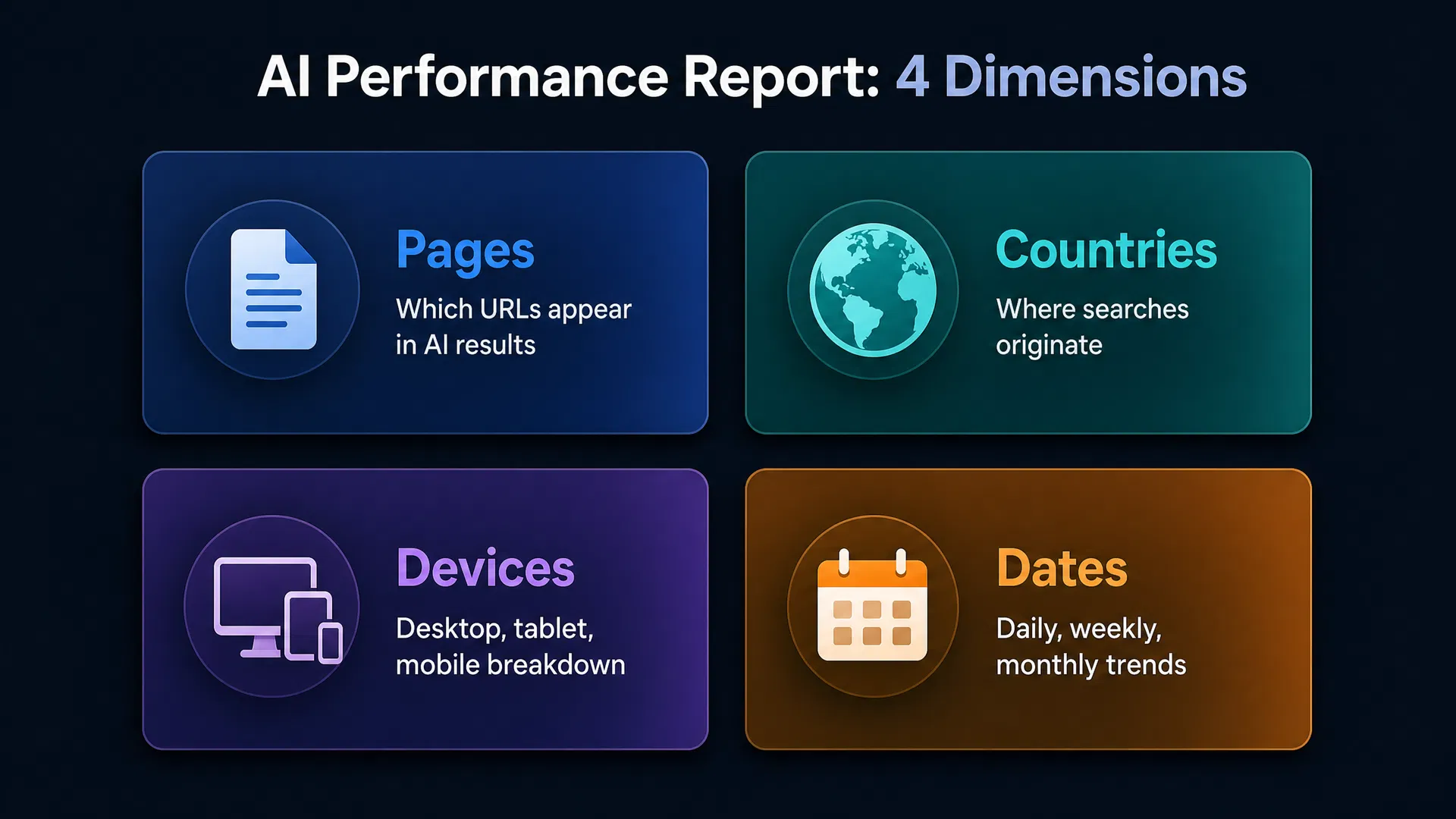
The four dimensions available in the AI Performance Report
Reading the Four Dimensions
The report lets you slice AI impression data across four dimensions. Each one answers a different question about your AI visibility, and the most useful analysis comes from combining them.
Pages
Groups impressions by the final URL shown in the AI result, assigned to the canonical URL after any redirects. This is the most actionable dimension because it tells you exactly which content Google's AI is drawing from. Pages with high AI impressions are your strongest candidates for further optimization.
Countries
Shows where the searches originated. This is particularly useful for sites targeting multiple markets. If your AI impressions are concentrated in one country but your organic traffic is global, it may indicate that AI features are more active in certain markets or that your content resonates differently across regions.
Devices
Breaks down impressions by desktop, tablet, or mobile. AI Overviews and AI Mode behave differently on different screen sizes, and user behavior in AI search varies by device. If mobile AI impressions are significantly lower than desktop, it may point to mobile-specific content or rendering issues worth investigating.
Dates
Displays data by day, week, or month in Pacific Time, consistent with the standard performance report. Use this dimension to track how your AI visibility changes over time, especially after publishing new content, making structural changes, or following a Google algorithm update that affects AI features.
What Dotted Lines Mean
Dotted lines in the AI impressions chart indicate preliminary data that is still being collected and may change. Solid lines represent finalized data. When you see a dotted line at the end of your chart, the most recent days are still being processed. Do not make major strategic decisions based on dotted-line data alone.
How to Interpret the Data
The most important thing to understand about AI impressions is that they are not a substitute for organic clicks. A page can generate thousands of AI impressions and drive very little referral traffic, because AI Overviews often answer the user's question directly without requiring a click. This is the zero-click dynamic that has been reshaping SEO strategy for the past two years.
The right way to use this report is to compare AI impressions against your organic click data from the standard Search performance report. Pages with high AI impressions but declining organic clicks are likely being cited in AI results that satisfy the query without a click. This is not necessarily bad, since appearing in AI results still builds brand visibility and authority, but it does mean those pages are less efficient at driving direct traffic than they used to be.
Pages with high AI impressions and stable or growing organic clicks are your best performers. They are appearing in AI results and still compelling users to click through. Study what makes those pages different. They are likely structured clearly, answer the query directly, and provide enough depth that users want to read the full piece. For a deeper look at which structural elements drive AI citations, our analysis of content formats that get cited in Google AI Overviews covers the data in detail.
Pages with zero AI impressions despite strong organic rankings are worth investigating. They may be targeting transactional queries that rarely trigger AI features, or they may have structural issues that make it harder for Google's AI to extract and cite their content. The fix is usually not a complete rewrite. Adding a clear introductory summary, restructuring with descriptive H2 and H3 headings, and adding a FAQ section at the bottom are often enough to shift a page from invisible to cited in AI results.
Start Ranking in AI Search
RankPilot helps you research, plan, and publish content that gets cited in AI Overviews and ranks in organic search. Try it free.
What the Report Does Not Show
The current version of the report does not include click data, CTR, average position, or query-level data. It also does not cover Search Labs experiments or the Gemini app. Data is capped at 1,000 rows per dimension, the same limit as the standard Search performance report. Google has indicated these limitations will be addressed in future updates.
How to Improve Your AI Visibility
Improving your AI impressions is largely an extension of good SEO practice, but with a few specific adjustments that matter more for generative AI than for traditional search. The core principle is the same: create content that clearly and authoritatively answers questions people are actually asking. The execution, however, requires more attention to structure and extractability.
The first step is confirming that Google can access your content for AI features. Check your robots.txt file to ensure that Google-Extended is not blocked. Google-Extended is the crawler Google uses specifically for generative AI training and citation. If it is blocked, your pages will not appear in AI results regardless of how well-optimized they are. You can verify this in your Search Console settings under the AI features controls.
Beyond access, the content itself needs to be structured for extractability. Google's AI systems favor pages that answer questions directly in the first paragraph, use descriptive headings that match the language of the query, and include FAQ sections that address follow-up questions. These are the same structural principles that drive featured snippet eligibility, and they translate directly to AI citation likelihood. Our guide to generative engine optimization covers the full framework for structuring content to appear in AI-generated answers.
Query targeting also matters. Informational and how-to queries are far more likely to trigger AI Overviews and AI Mode responses than transactional queries. If your site is primarily focused on commercial or product pages, you may see lower AI impressions overall. Building out a content library of informational articles that target the questions your customers ask before they are ready to buy is one of the most effective ways to increase AI visibility while also building topical authority. RankPilot's keyword research and content planning tools are designed specifically to help you identify those informational query opportunities and build content around them systematically.
AI Visibility Optimization Checklist
Connecting AI Impressions to Business Outcomes
AI impressions are a visibility metric, not a business outcome metric. The gap between the two is where most of the strategic work happens. A page with 50,000 AI impressions and 200 organic clicks is generating enormous brand exposure but minimal direct traffic. Whether that is a problem depends entirely on what that page is trying to do.
For top-of-funnel informational content, high AI impressions with low clicks may be perfectly acceptable. The goal of that content is to build awareness and establish authority, not to drive immediate conversions. The AI result is doing that work for you, at scale, without requiring a click. The question to ask is whether brand searches or direct traffic are increasing as a result.
For content that is supposed to drive conversions, a high AI impression count with low clicks is a signal worth investigating. It may mean the AI result is fully satisfying the query, leaving users with no reason to visit your site. In those cases, the content strategy needs to shift. Rather than targeting queries that AI can fully answer in a summary, focus on queries where the value is in the depth, the tool, or the specific expertise that only your site provides. Understanding the full picture of how RankPilot tracks and improves content performance can help you connect AI visibility data to the metrics that actually drive revenue.
"AI impressions are a visibility metric, not a business outcome metric. The gap between the two is where most of the strategic work happens."
Pro Tip: Build a Comparison Dashboard
Export your AI impressions data alongside your standard Search performance data and compare them in a spreadsheet or BI tool. Pages where AI impressions are rising while organic clicks are falling are your highest-priority optimization targets. Pages where both are rising are your content models to replicate.
What to Expect as the Report Evolves
Google has been explicit that the Generative AI Performance Report is a first version, not a finished product. Several additions are likely in the near term. Click data is the most requested feature, and Google has acknowledged the gap. Query-level data, which would show you which specific search queries are triggering AI results that cite your pages, would be transformative for content strategy and is almost certainly on the roadmap.
Coverage will also expand. The current report covers AI Overviews and AI Mode. As Google continues to develop new generative AI experiences in Search, those will likely be added to the same reporting framework. The Discover AI report is already separate, and future features may follow the same pattern or be consolidated into a single unified AI performance view.
The data retention and row limits will likely improve as well. The current 1,000-row cap and standard time period constraints are the same as the traditional Search performance report, which has always been a frustration for large sites. As Google's infrastructure for AI reporting matures, these limits may expand. For now, the most important thing is to start tracking your AI impressions baseline so you have historical data to compare against when new features and metrics are added.
Frequently Asked Questions
Ready to Grow Your AI Search Visibility?
RankPilot helps you identify the content opportunities that drive AI impressions and organic rankings at the same time. See how it works with a free trial.
Related Articles
AI Overviews and the Zero-Click Reality: What SEOs Need to Know
AI Overviews are changing how users interact with search results. Here is what the data says and how to adapt your strategy.
February 3, 2026
AI SearchGenerative Engine Optimization (GEO): How to Rank in AI Search
GEO is the practice of optimizing content to appear in AI-generated answers. Here is what it means and how to do it.
March 17, 2026
Content StrategyWhich Content Formats Get Cited in Google AI Overviews?
Not all content formats are equally likely to appear in AI Overviews. Here is what the data shows about format, structure, and citation patterns.
April 28, 2026